

⚡
Presentation
Hello, welcome I present to you an integrated warehouse management system built using Microsoft Access, featuring an easy-to-use user interface and a professional design that saves you from major software complexities.
System Features
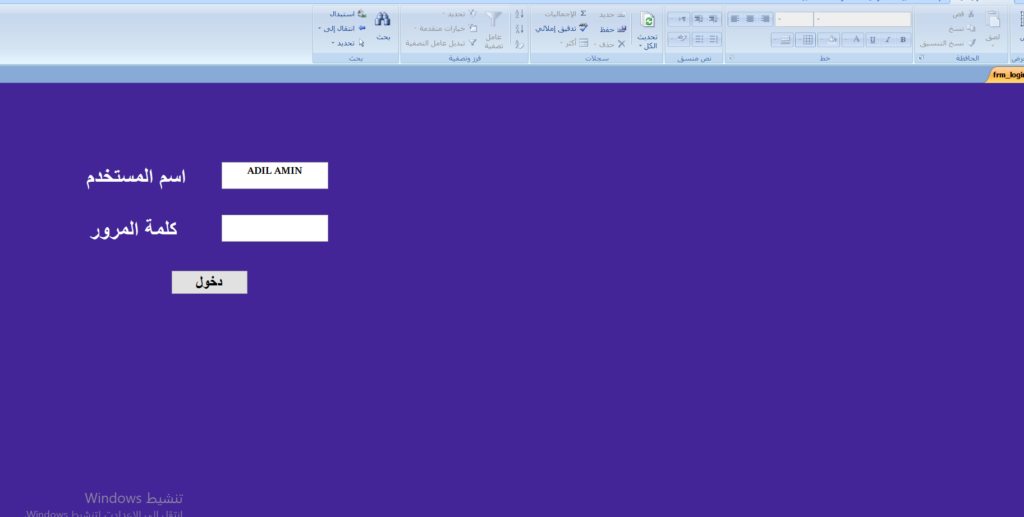
* Advanced Security System: Login screen prevents unauthorized data access.
* Clean User Interface: The design hides traditional Access toolbars to give you the feel of a standalone program.
* Comprehensive management: Quick access buttons to add items, record transactions, and view balance.
* Flexibility in editing: Easily modify data and quantities within the monitors.
* Safe Exit: Dedicated button to close the entire program with one click.
Detailed explanation of how to use:
* Startup:
* When you open the file, you'll immediately see the login screen.
* Enter the username and password attached with the program to enter the main control panel.
* Main Interface Handle:
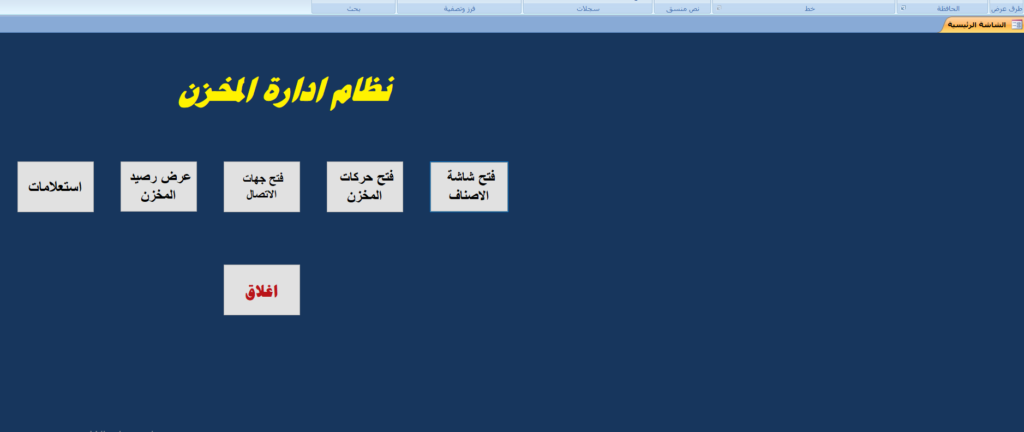
* Through the "Warehouse Management System", you can choose the desired task via the clear buttons.
* Item Screen: To add a new item or modify an existing item data.
* Store Transactions: To record the input (incoming) and output (outbound) operations.
* Stock Balance: To instantly see your remaining quantities.
* Data Modification:
* The system allows you the freedom to edit directly within the fields, just stand on the box and change the desired value.
* Finishing the work:
* When you want to log out, press the red "Close" button located at the bottom of the main interface to close the program and save the changes permanently.
System Features
* Advanced Security System: Login screen prevents unauthorized data access.
* Clean User Interface: The design hides traditional Access toolbars to give you the feel of a standalone program.
* Comprehensive management: Quick access buttons to add items, record transactions, and view balance.
* Flexibility in editing: Easily modify data and quantities within the monitors.
* Safe Exit: Dedicated button to close the entire program with one click.
Detailed explanation of how to use:
* Startup:
* When you open the file, you'll immediately see the login screen.
* Enter the username and password attached with the program to enter the main control panel.
* Main Interface Handle:
* Through the "Warehouse Management System", you can choose the desired task via the clear buttons.
* Item Screen: To add a new item or modify an existing item data.
* Store Transactions: To record the input (incoming) and output (outbound) operations.
* Stock Balance: To instantly see your remaining quantities.
* Data Modification:
* The system allows you the freedom to edit directly within the fields, just stand on the box and change the desired value.
* Finishing the work:
* When you want to log out, press the red "Close" button located at the bottom of the main interface to close the program and save the changes permanently.
🖼️
Portfolio
📋
Background
🇲🇦Arabic
⭐
Reviews
Please sign in as a customer to give your feedback
💬
No reviews yet.
Be the first to share your experience with this professional.